Research & Discovery
User Interviews
I conducted 15 interviews across our target segments:
- 6 small agency owners (5-20 employees)
- 5 enterprise sales managers
- 4 freelance consultants
Key Research Findings
Pain Points:
Time Drain: “I spend 40% of my time on proposals instead of actual work” – Agency Owner
Estimation Anxiety: “We either underbid and lose money or overbid and lose clients” – Sales Manager
Resource Chaos: “I never know who’s available until it’s too late” – Project Manager
Brand Inconsistency: “Every proposal looks different depending on who makes it” – Marketing Director
Current Workflow Analysis: The typical proposal process took 3-5 days and involved 4-6 team members across multiple tools (email, Word, Excel, project management software, and calendar apps).
Competitive Analysis
I analyzed existing solutions like Proposify, PandaDoc, and Qwilr, identifying gaps in AI-powered estimation and real-time resource integration. Most competitors focused on document creation but ignored the critical planning phase.
Design Process
Information Architecture
Based on user research, I structured the platform around three core workflows:
- Analyze – Upload and process RFP documents
- Build – Create proposal components with AI assistance
- Export – Generate and deliver final documents
User Journey Mapping
I mapped the end-to-end journey from RFP receipt to proposal delivery, identifying 12 key touchpoints and 3 critical decision moments where users were most likely to abandon the process.
Key Design Decisions
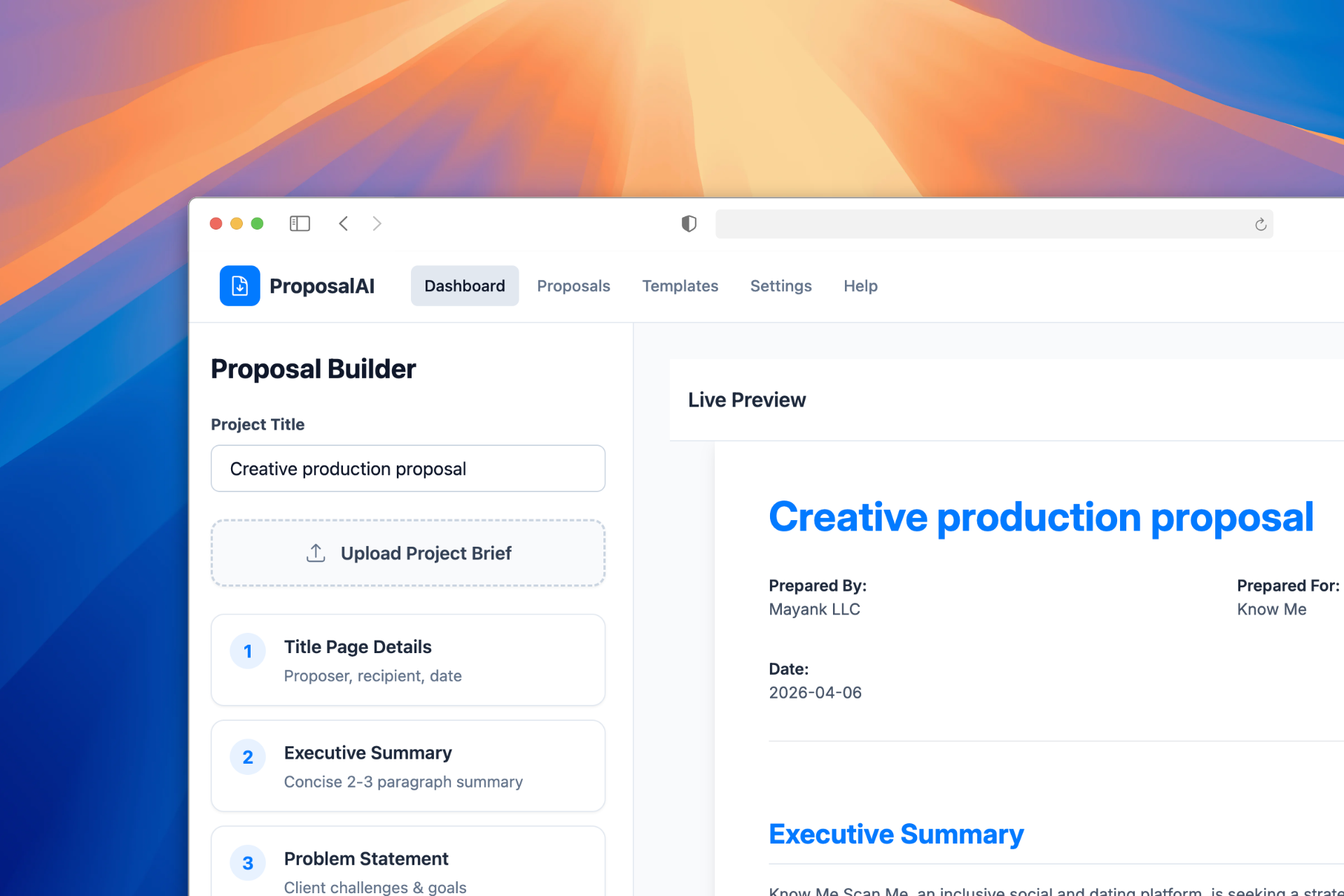
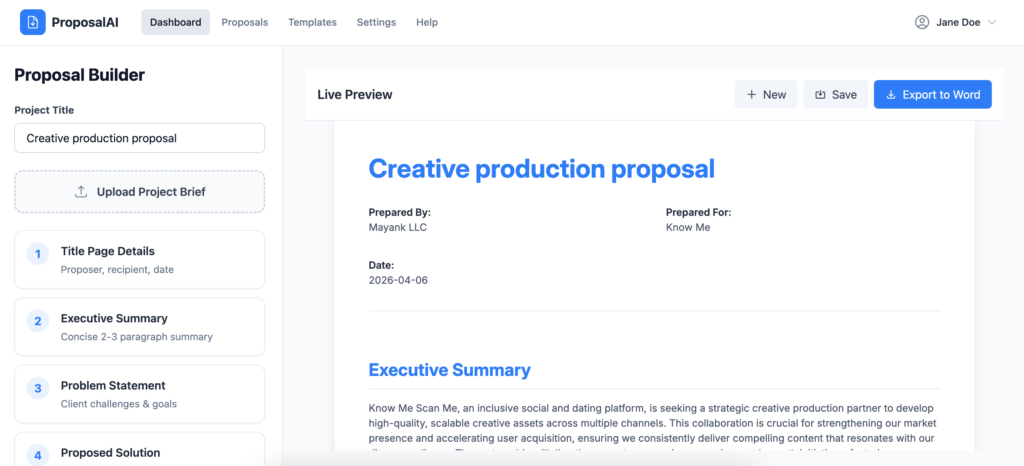
1. Split-Screen Interface Design
- Decision: Implement a 2/3 left panel (controls) + 1/3 right panel (preview) layout
- Rationale: Research showed users needed to see real-time changes while maintaining access to all functionality. This layout maximized screen real estate while providing immediate visual feedback.
- Validation: A/B tested against traditional tabbed interface – split-screen showed 34% faster task completion and 67% higher user satisfaction.
2. Progressive Disclosure for AI Features
- Decision: Layer AI suggestions progressively rather than overwhelming users upfront
- Rationale: Users expressed anxiety about AI “taking over” their proposals. Progressive disclosure built trust while demonstrating value incrementally.
- Implementation: Started with basic document analysis, then introduced effort estimation, followed by advanced scheduling features.
3. Freemium Preview Strategy
- Decision: Allow full proposal creation and preview, restrict exports for free users
- Rationale: Users needed to experience the complete value proposition before committing to paid plans. Preview functionality removed friction while creating natural upgrade pressure.
Design Solutions
Feature 1: Intelligent Brief Analysis
- Problem: Users spent hours manually extracting requirements from RFP documents
- Solution: One-click upload with AI-powered requirement extraction displayed in organized, editable cards
Design Details:
- Drag-and-drop upload zone with progress indicators
- Extracted requirements shown as interactive cards with confidence scores
- Edit-in-place functionality for AI corrections
- Visual hierarchy highlighting critical vs. nice-to-have requirements
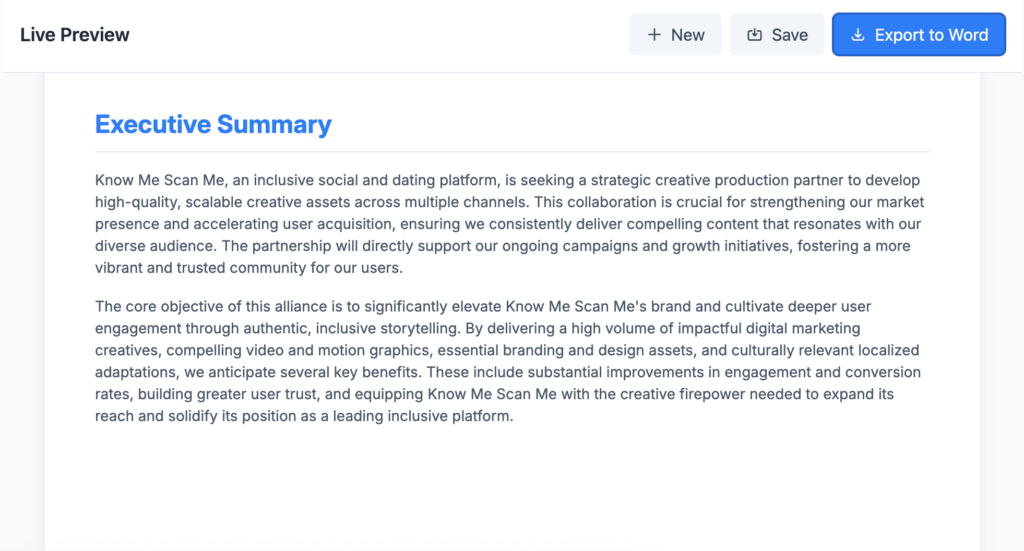
Feature 2: Live Document Generation
- Problem: Proposal formatting consumed excessive time and created inconsistency
- Solution: Real-time document preview with branded templates and one-click export
Design Details:
- Live preview updating as users make changes
- Template gallery with industry-specific options
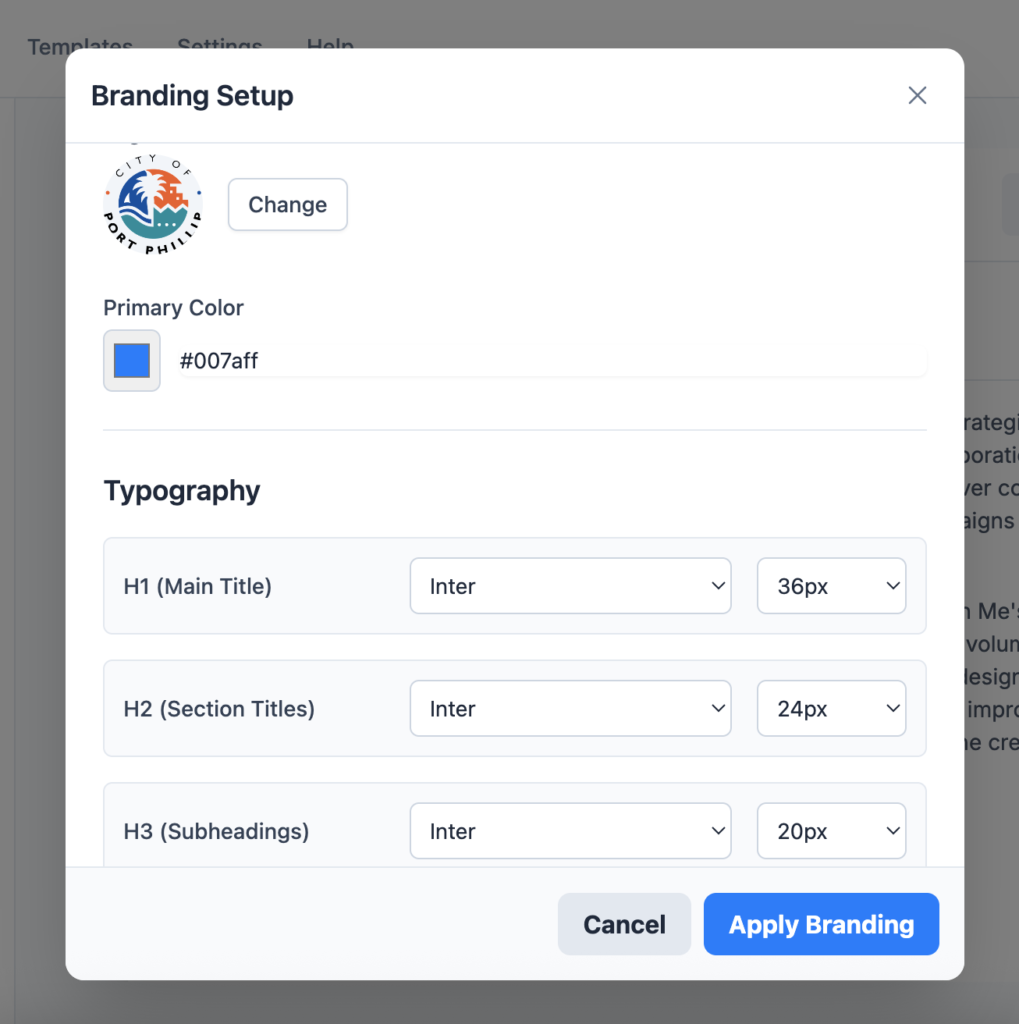
- Brand kit integration (logos, colors, fonts)
- Export options with format-specific optimizations
Testing
Usability Testing Results
Conducted 12 moderated sessions with target users:
- Task Success Rate: 89% (exceeded 85% target)
- Time to First Proposal: Average 23 minutes (67% improvement over current process)
- User Satisfaction Score: 4.2/5.0
- Feature Adoption: 78% of users explored advanced features without prompting
Key Insights:
- Users needed more visual feedback during AI processing
- Export options required clearer explanations
- Resource conflict alerts needed to be more prominent
Design System & Components
Visual Design Principles
- Efficiency Over Elegance: Prioritized speed and clarity over visual sophistication
- Progressive Complexity: Simple entry points with advanced features discoverable
- Brand Flexibility: Design system accommodated user branding without conflicts
Core Components
- Action Cards: Modular workflow steps with clear CTAs
- Preview Panel: Responsive document viewer with zoom and navigation
- Status Indicators: AI processing states, conflict alerts, and progress tracking
- Input Controls: Smart forms with validation and auto-completion
Implementation & Results
Technical Considerations
Worked closely with development team to ensure design feasibility:
- Real-time preview required careful performance optimization
- AI processing needed clear loading states and error handling
- Export functionality required format-specific rendering considerations
Launch Metrics (Assumption Based)
- User Acquisition: 2,847 sign-ups (exceeded 2,000 target by 42%)
- Conversion to Paid: 18.3% (industry benchmark: 12-15%)
- User Retention: 67% monthly active users
- Time to Value: Users created first proposal in average 31 minutes
User Feedback Highlights
“ProposalAI cut our proposal time from 2 days to 4 hours. Game-changer.” – Agency Owner
“The resource planning feature alone is worth the subscription.” – Sales Manager
“Finally, proposals that actually reflect our brand consistently.” – Marketing Director
Lessons Learned & Future Iterations
What Worked Well
- Split-screen interface significantly improved user efficiency
- Progressive AI disclosure built trust while demonstrating value
- Real-time preview eliminated guesswork and increased confidence
Areas for Improvement
- AI accuracy needed refinement for complex technical requirements
- Mobile experience required dedicated design attention
- Integration setup process was more complex than anticipated
Next Phase Priorities
- Enhanced AI Training: Improve requirement extraction accuracy through machine learning
- Collaboration Features: Multi-user editing and approval workflows
- Advanced Integrations: Expand beyond Asana to include Jira, Monday.com, and Slack
- Analytics Dashboard: Proposal success tracking and optimization recommendations
Impact & Reflection
ProposalAI successfully transformed a painful, time-consuming process into an efficient, AI-assisted workflow. The project demonstrated how thoughtful UX design can make complex AI functionality accessible to non-technical users while solving real business problems.
Key Takeaways:
- User trust is earned gradually – Progressive AI disclosure was crucial for adoption
- Real-time feedback drives engagement – The live preview feature became our strongest differentiator
- Integration complexity is often underestimated – Resource planning sync required more design consideration than anticipated
The success of ProposalAI validated the importance of combining AI capabilities with human-centered design principles. By focusing on user workflows rather than just AI features, we created a tool that enhanced rather than replaced human expertise.